Local AI Assistant
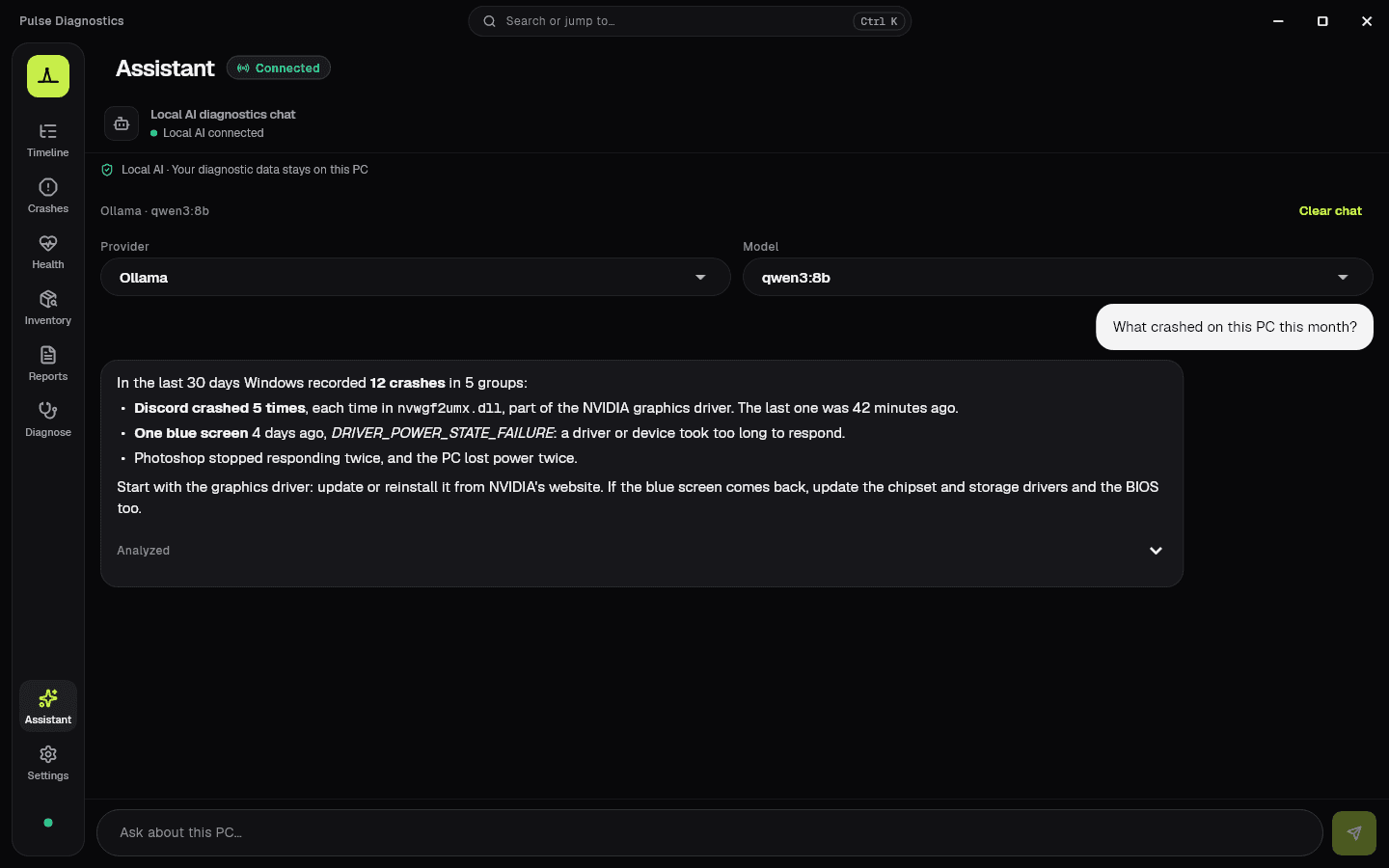
Ask about this PC in-app via Ollama or LM Studio — read-only diagnostics, streaming replies, no cloud AI required.


Featured on GitHub Trending (Dart), Trendshift and Upstar
Regn Creative
Windows diagnostics
See what Windows is really doing.
Read-only Windows diagnostics with a local AI Assistant — Ollama or LM Studio on this PC. No cloud AI required.
Observation only. Local AI Assistant. No telemetry cloud. Read-only tools.
Local AI diagnostics chat
Local AI connected
Local AI · Your diagnostic data stays on this PC
LM Studio · google/gemma-4-12b-qat
Clear chatProvider
LM Studio
Model
google/gemma-4-12b-qat
Ask about this Windows PC
Pulse Assistant can inspect read-only diagnostics through your local model.
Ask about this PC…
In the press
IT-Connect
France · 24 October 2026
Read the article“Pulse : les journaux d’événements de Windows facilement lisibles, avec de l’IA locale”
by Florian Burnel
In the press
TecnoAndroid
Italy · 18 October 2026
Read the article“Pulse per Windows 11: il Visualizzatore eventi diventa leggibile”
by Manuel De Pandis
In the press
IlSoftware.it
Italy · 13 October 2026
Read the article“Visualizzatore eventi Windows 11 più comprensibile con un tool open source”
by Michele Nasi
New in 1.6
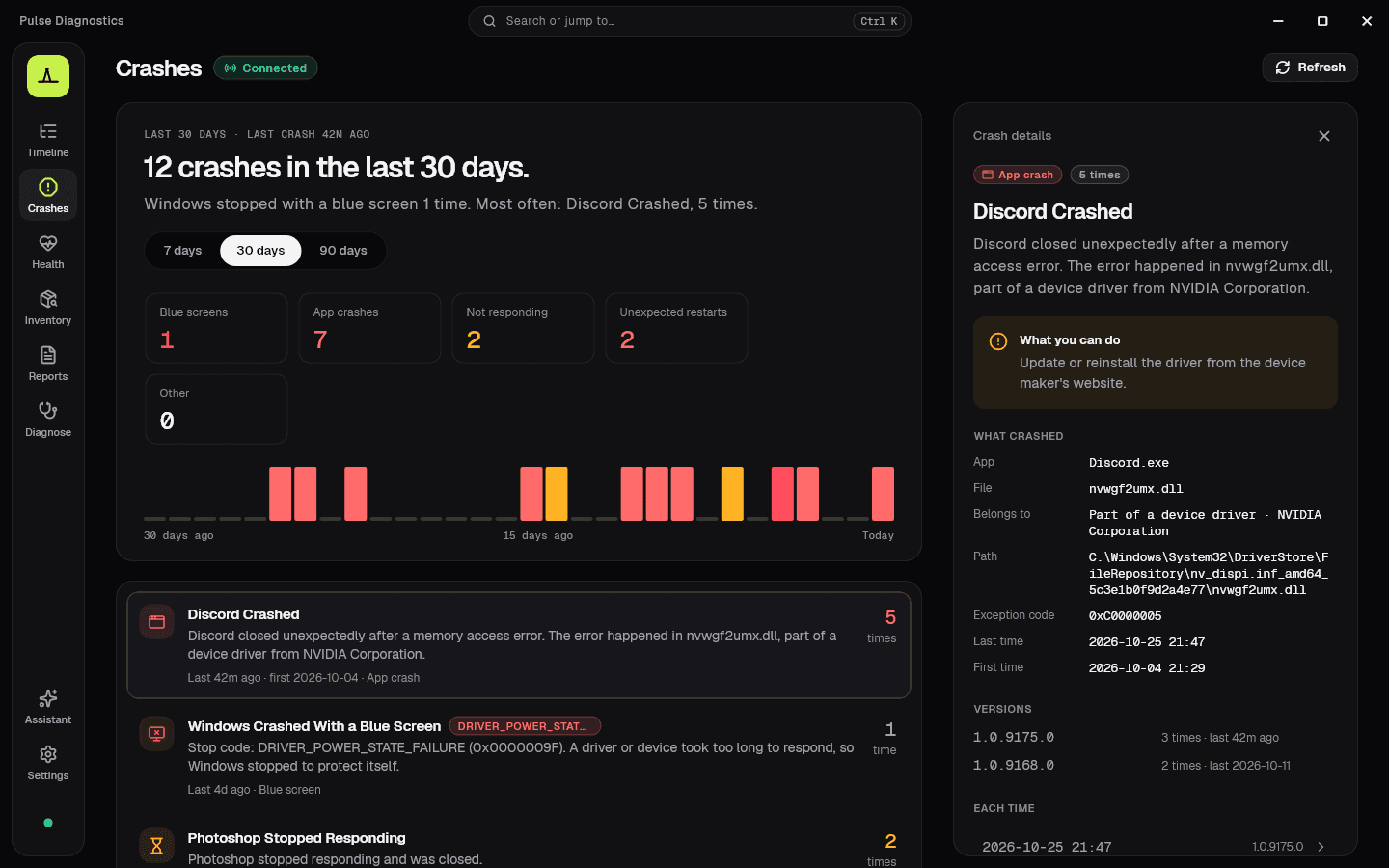
A Crashes page for blue screens, app crashes and sudden restarts, grouped by cause and explained in plain words.
Blue screens, app crashes, hangs and sudden restarts of the last 7, 30 or 90 days, grouped by cause.
The file an app crashed in, and whether it belongs to the app, Windows or a driver.
“Discord Crashed” instead of “Application Crashed”, with the error and the file.
Export it as PDF, HTML, CSV or JSON, or ask the local Assistant what crashed.
New in 1.5
Integrated and dedicated GPUs side by side, each with its load and memory.
Worked out the same way as Task Manager, so the numbers match.
Take a known event type out of the Timeline. Reports still keep every event.
A critical event of a type you hid no longer pops up on your desktop.
New in 1.4
The stop code, what usually causes it and what to check next — not just “Kernel-Power 41”.
Tells a blue screen, a forced power-off, a power loss and WHEA hardware errors apart.
Open an .evtx exported from the PC you are helping and read it the same way.
User and computer names, IPs and serial numbers are masked in exports by default.
The Pulse idea
Same events. Different language. Technical detail stays one click away.
Event Viewer
Application Error · Event ID 1000
Pulse
Explorer unexpectedly closed. Windows restarted Explorer.
Event Viewer
Service Control Manager · 7036
Pulse
Windows Update service entered the running state.
Event Viewer
Kernel-Power · 41
Pulse
The system restarted without a clean shutdown.
Inside Pulse
Timeline, System Health, Inventory, Reports, Diagnostics, Settings — plus the built-in local AI Assistant.
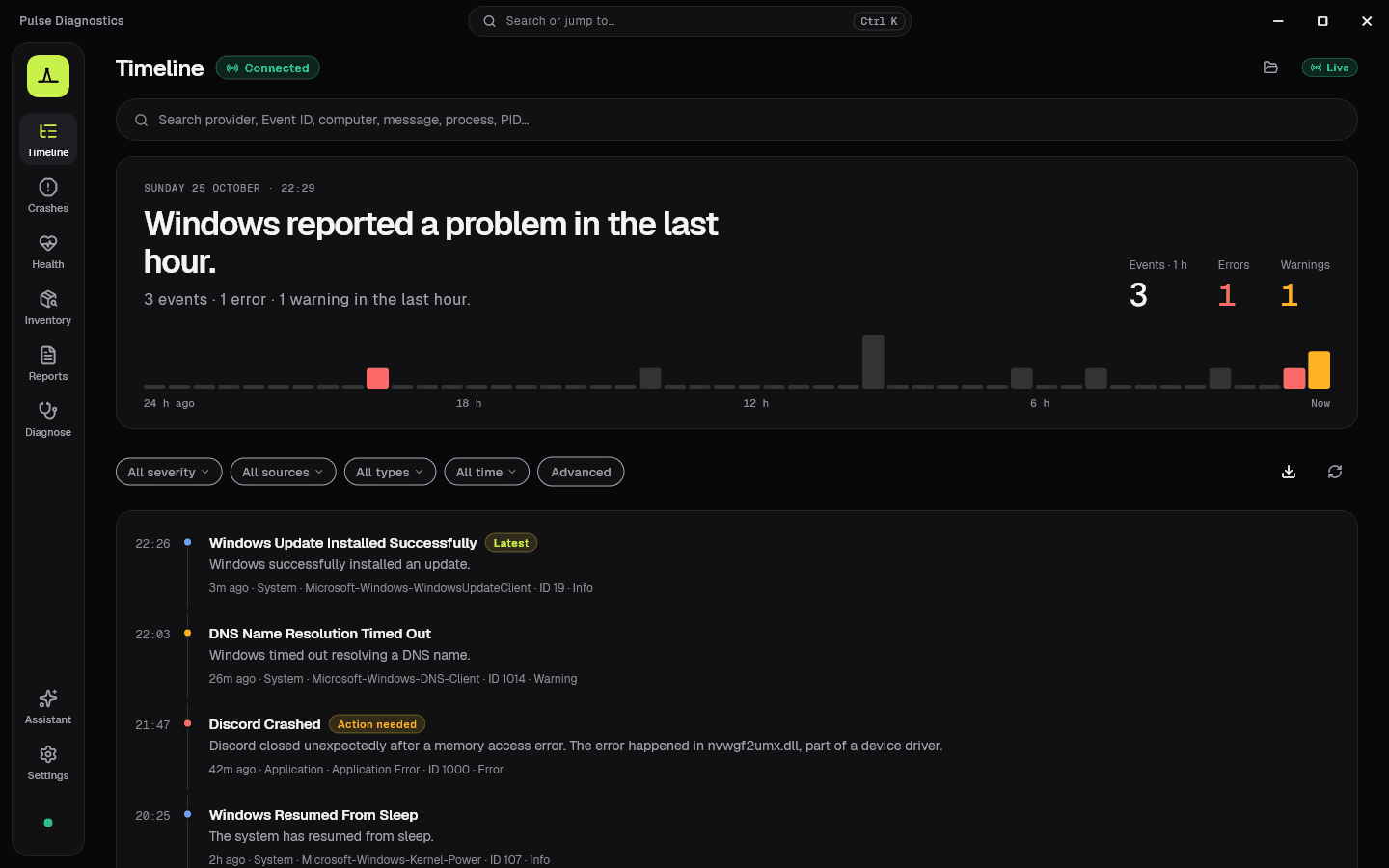
A plain-language summary of the last hour, a 24-hour activity strip, and a story feed — detail on demand.
Monday 12 October · 23:18
Windows reported 2 problems in the last hour.
14 events · 2 errors in the last hour.
Events · 1 h
14
Errors
2
Warnings
1
Windows Update installed an updateLatest
Windows Update finished installing 1 update successfully.
3m ago · System · WindowsUpdateClient · ID 19 · Info
Explorer unexpectedly closed
Windows restarted Explorer automatically.
16m ago · Application · Application Error · ID 1000 · Error
A driver took longer than expected
The display driver responded slowly during startup.
31m ago · System · Display · ID 4101 · Warning
The PC restarted without shutting down cleanly
Check power, drivers and recent crashes around this time.
48m ago · System · Kernel-Power · ID 41 · Critical
Windows Update service started
The Windows Update service entered the running state.
1h ago · System · Service Control Manager · ID 7036 · Info
Windows Update installed an update
Windows Update finished installing 1 update successfully.
3m ago · System · WindowsUpdateClient · ID 19 · Info
Explorer unexpectedly closed
Windows restarted Explorer automatically.
16m ago · Application · Application Error · ID 1000 · Error
A driver took longer than expected
The display driver responded slowly during startup.
31m ago · System · Display · ID 4101 · Warning
The PC restarted without shutting down cleanly
Check power, drivers and recent crashes around this time.
48m ago · System · Kernel-Power · ID 41 · Critical
Windows Update service started
The Windows Update service entered the running state.
1h ago · System · Service Control Manager · ID 7036 · Info
Features
Built as a professional observability tool — not another cleaner, optimizer, or antivirus.
Ask about this PC in-app via Ollama or LM Studio — read-only diagnostics, streaming replies, no cloud AI required.
Live event feed with severity filters — plain language first, raw detail when you ask.
Blue screens, app crashes and sudden restarts grouped by cause — with the stop code, the file an app crashed in and what to check next.
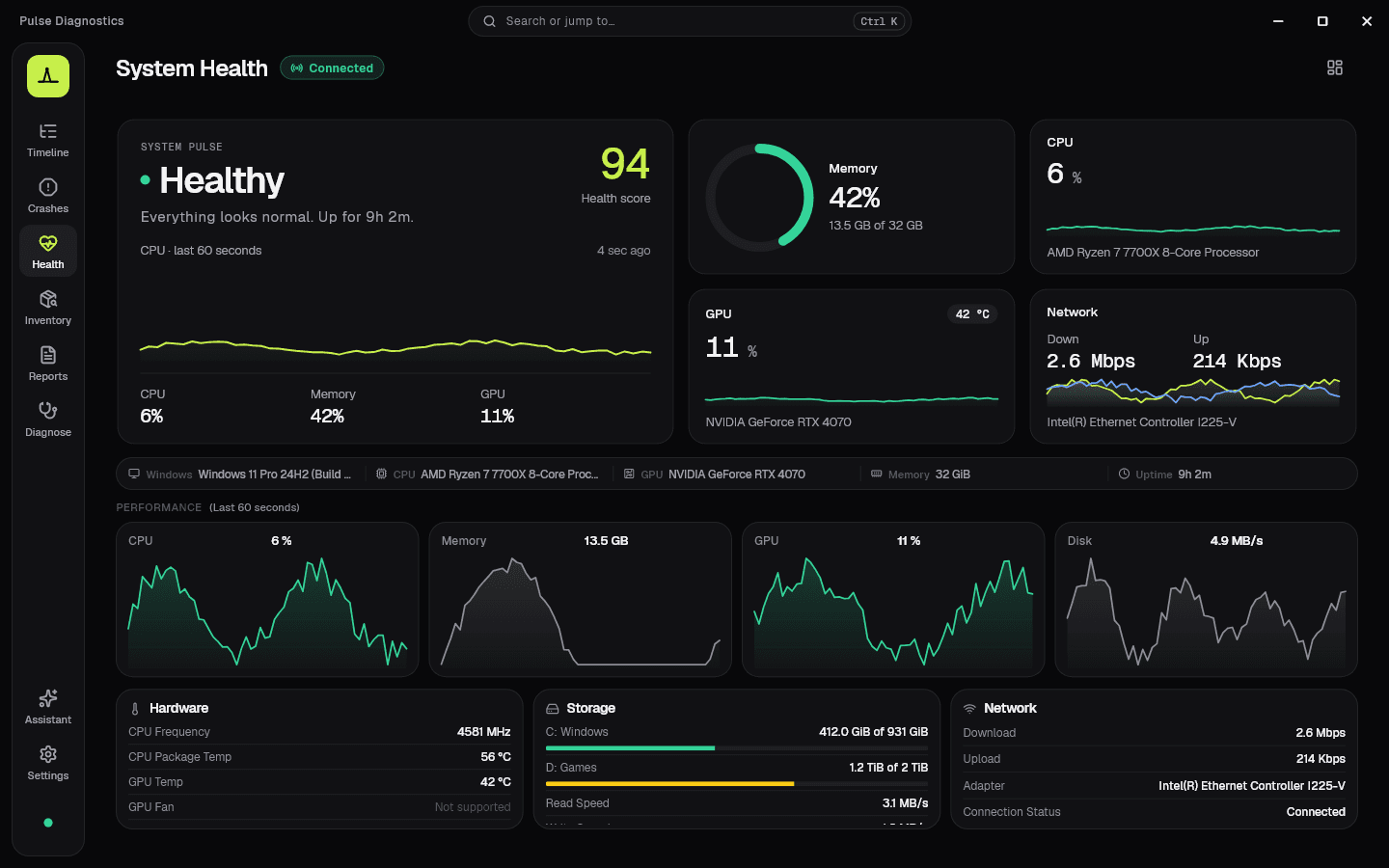
Live charts with semantic colors — green 0–49%, yellow 50–69%, orange 70–89%, red 90–100%.
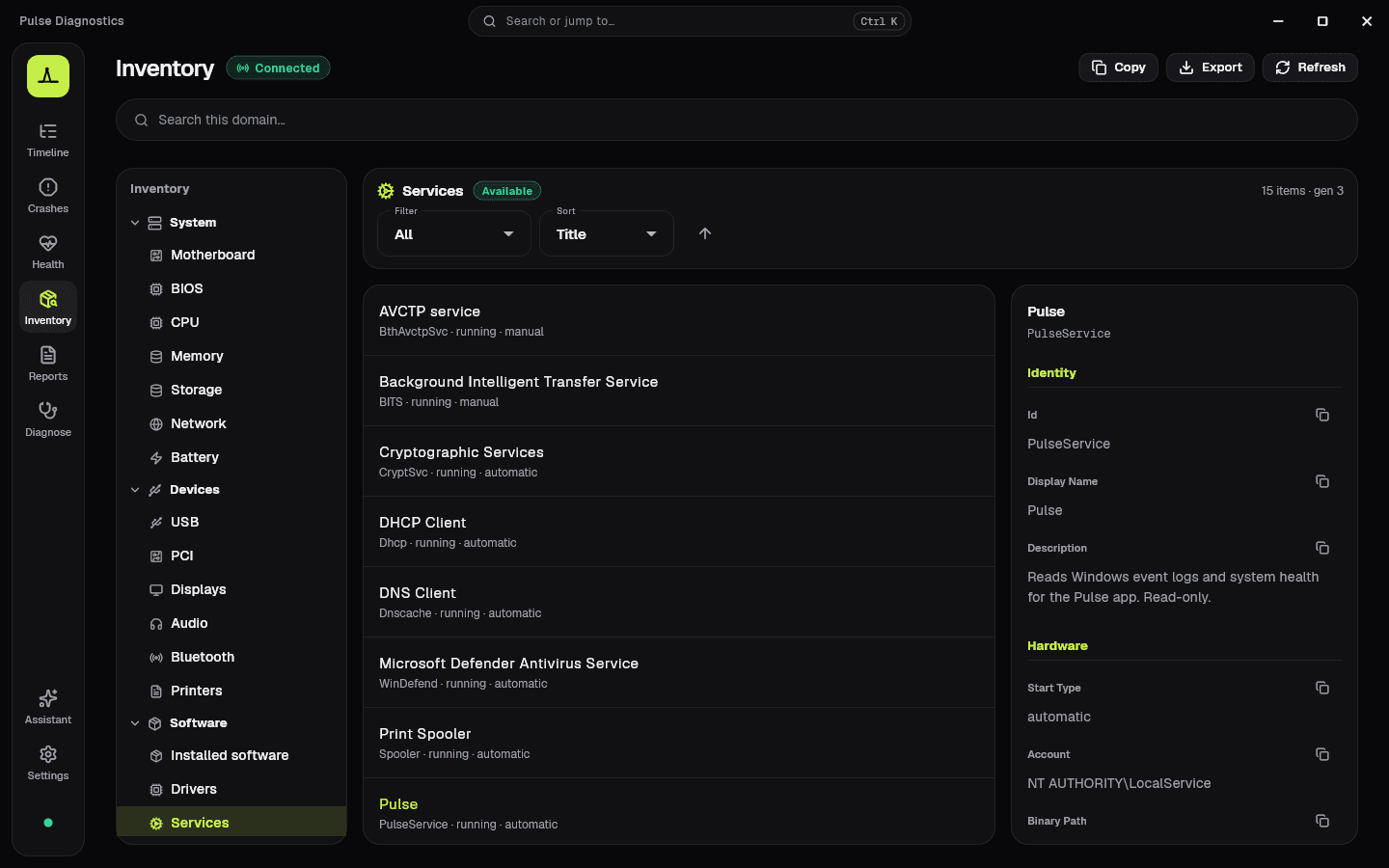
System, devices, and software trees — services, drivers, USB, PCI, and more.
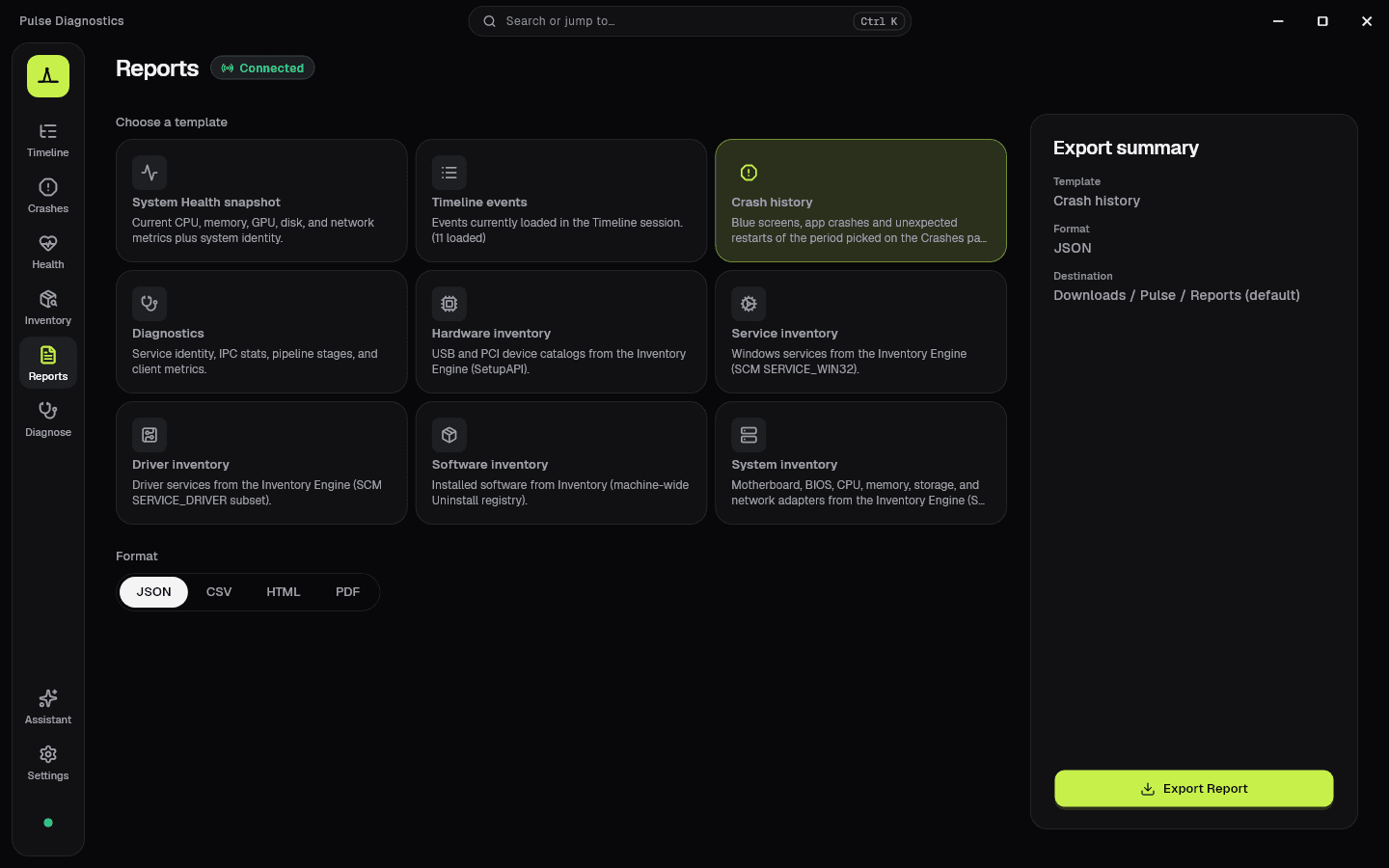
Export health, timeline, diagnostics, or inventory as JSON, CSV, HTML, or PDF — with names, IPs and serial numbers masked so they are safe to share.
Keep Pulse in the system tray with background monitoring and local Windows alerts for critical conditions.
IPC health, latency, throughput, collectors, pipeline stages, and ping tools.
System / Light / Dark themes, accent colors, compact mode, and motion speed.
Never modifies OS behavior. Assistant cannot run commands or change the system.
No account, no sync, no telemetry. Preferences, exports, and local AI stay on-device.
Open an .evtx exported from another computer and read it in plain language — handy for IT support.
Why Pulse
Windows already knows everything about itself. Pulse reveals it — to you and to a local AI on this PC.
Interface
Timeline, Crashes, Health, Assistant, Inventory and Reports — Pulse 1.6 with sample data.
Download
Install from the Microsoft Store. No account for Pulse itself, no telemetry cloud — local-first on your PC.
Latest version
v1.6.0
Preferred install path is Microsoft Store — source and release notes stay on GitHub.
Code signing policy · Free code signing provided by SignPath.io, certificate by SignPath Foundation.
FAQ
The short version: read-only, local-first, open source.
No. Pulse is observation only — no injection, hooks, patches, or OS behavior changes.